Illustrator nesting,
solved.
NestPlug is the true-shape nesting plugin for Adobe Illustrator that packs your stickers, die lines and cut files onto every sheet, then moves your original artwork into place. No copies. No bounding-box guesswork. No subscription.
One-time purchase · 7-day money-back guarantee · free updates
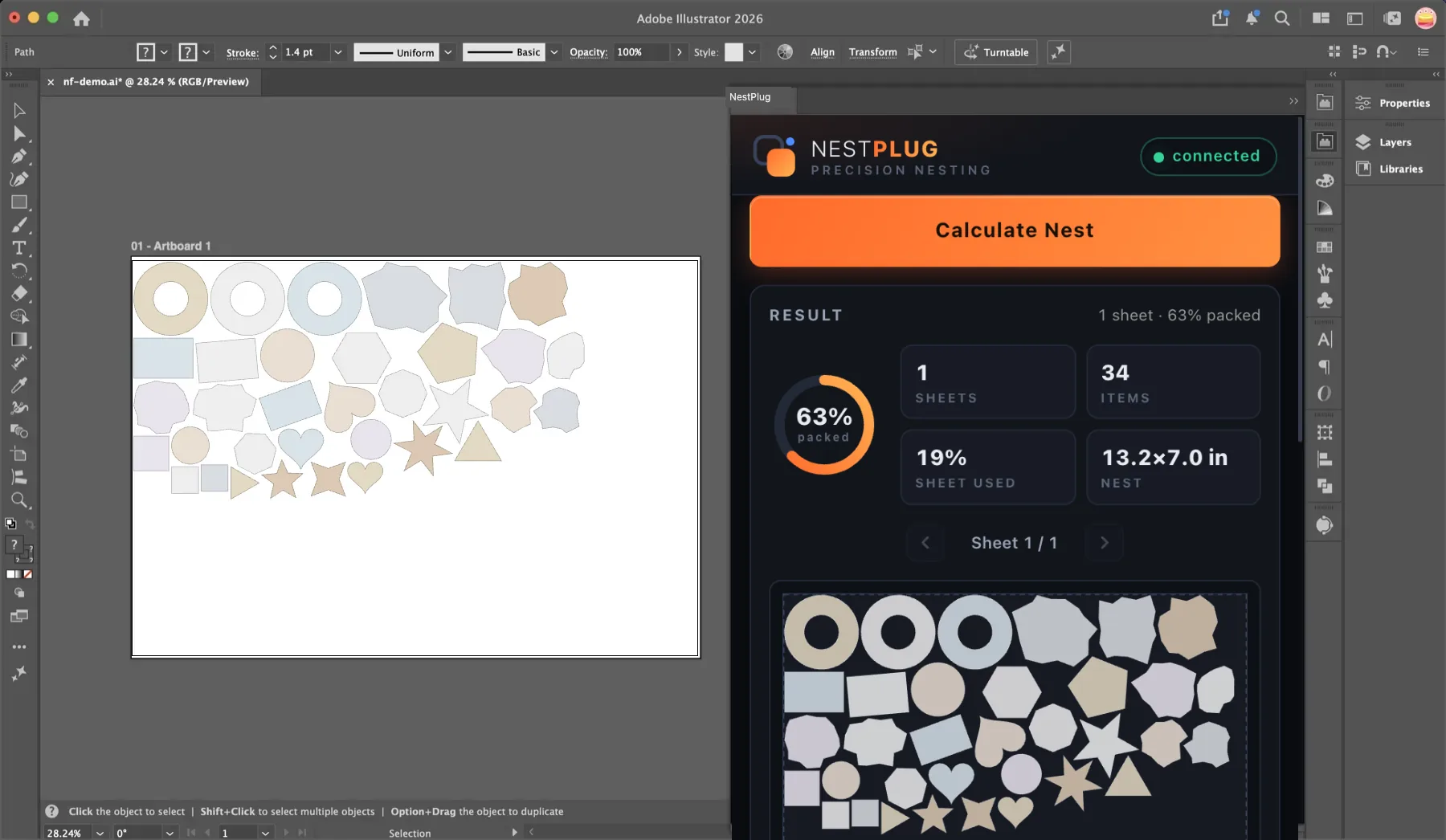
Everything a cut shop needs from a nesting plugin
Built around real sticker and die-cut production constraints: cut-line spacing, sheet sizes, weeding order. Not just geometry.
True-shape nesting
The engine packs the actual curved outlines of your die lines: stars tuck into circles, tabs slot into notches. Bounding-box "nesting" leaves 20–40% of your sheet as dead rectangles.
Multi-sheet planning
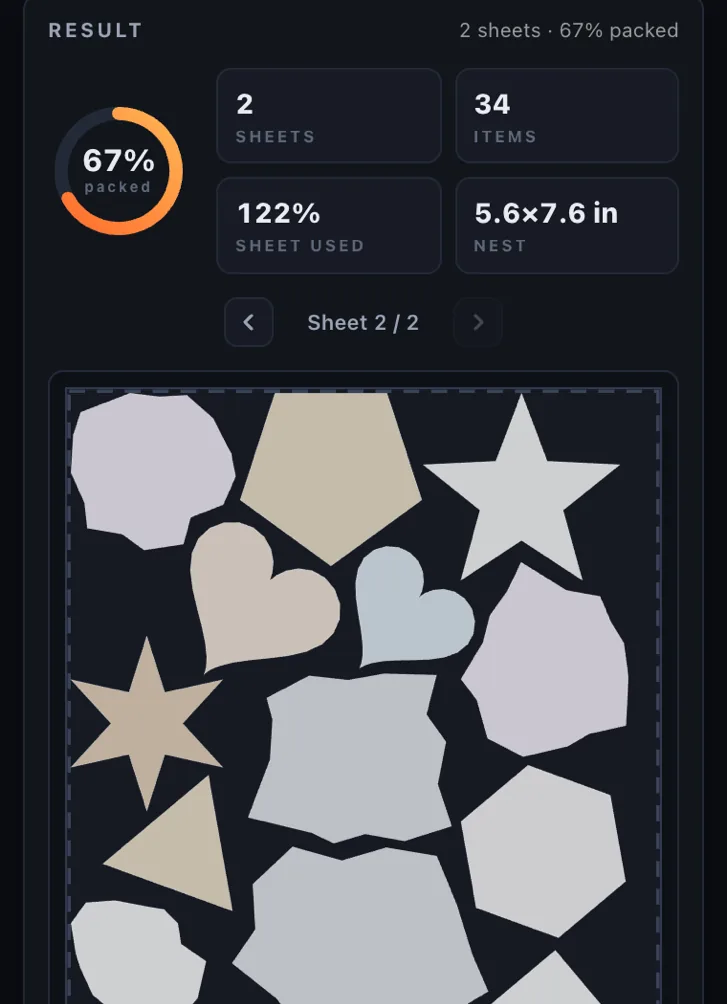
More artwork than one sheet? NestPlug flows the overflow onto sheet 2, 3, 4… with balanced fill, so you print and cut a whole job in one pass.
Rotation & spacing control
Turn shapes in 5°–90° steps, pin a fixed angle for grain direction, or allow mirror for symmetric parts. Set the exact gap your cutter needs, plus kerf allowance for laser work.
Nest inside cutouts
Flip one switch and the holes in your artwork become usable space: small shapes tuck inside donut rings and frames while the ring is still cut whole around them.
Live preview, up to 20 options
See every sheet, placement and packed percentage before a single object moves. Then compare up to 20 layout options from the same run and pick your favorite.
Manual adjust
Drag any placement, nudge it with the arrow keys, or set its exact angle on the rotation slider. The optimizer gets you 99% of the way; you handle the last 1% by hand.
Apply in place
Apply moves your original artwork into the layout. No duplicates, no rasterizing, nothing hidden. Revert Last Apply returns everything exactly as it was.
Real units, real sheets
Inches or millimeters, custom sheet width and height for any stock you load, and edge padding that keeps every cut line clear of the sheet edge.
Select → Calculate → Apply. Three clicks to a full sheet.
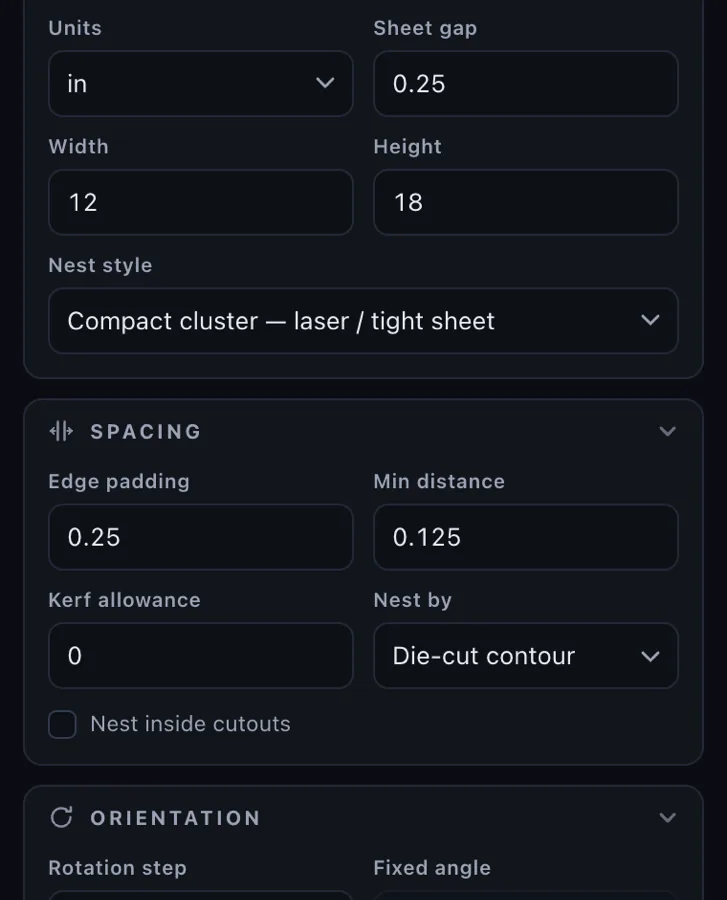
Select & set the sheet
Select your artwork in Illustrator, choose sheet size, edge padding and the minimum spacing between cut lines.
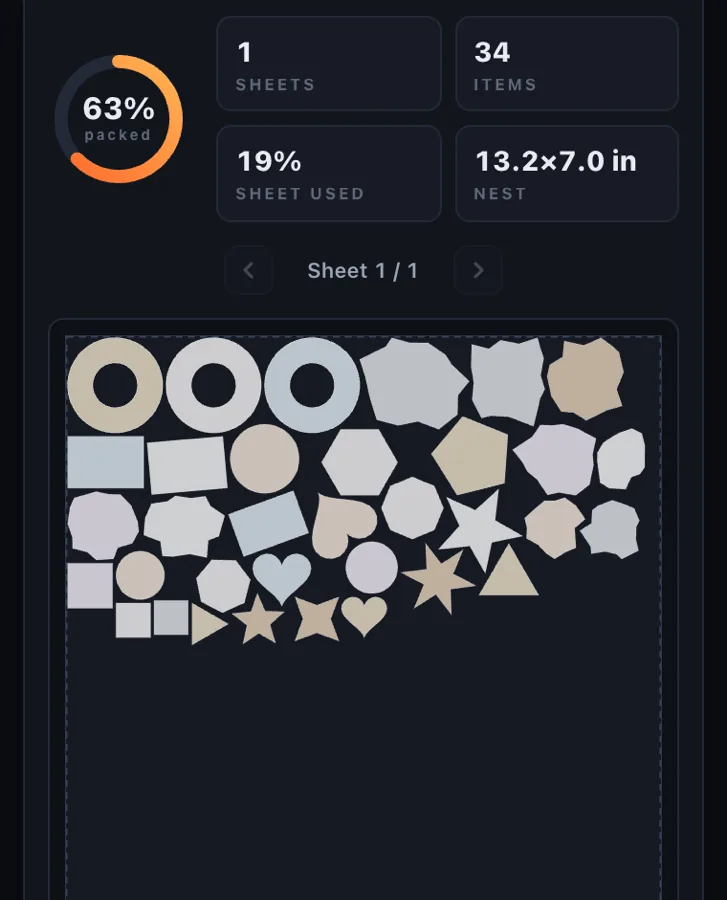
Calculate & review
The optimizer packs your true shapes and shows a live preview: placements, sheets used, packed percentage. Compare up to 20 options, hand-adjust any placement, re-run in seconds.
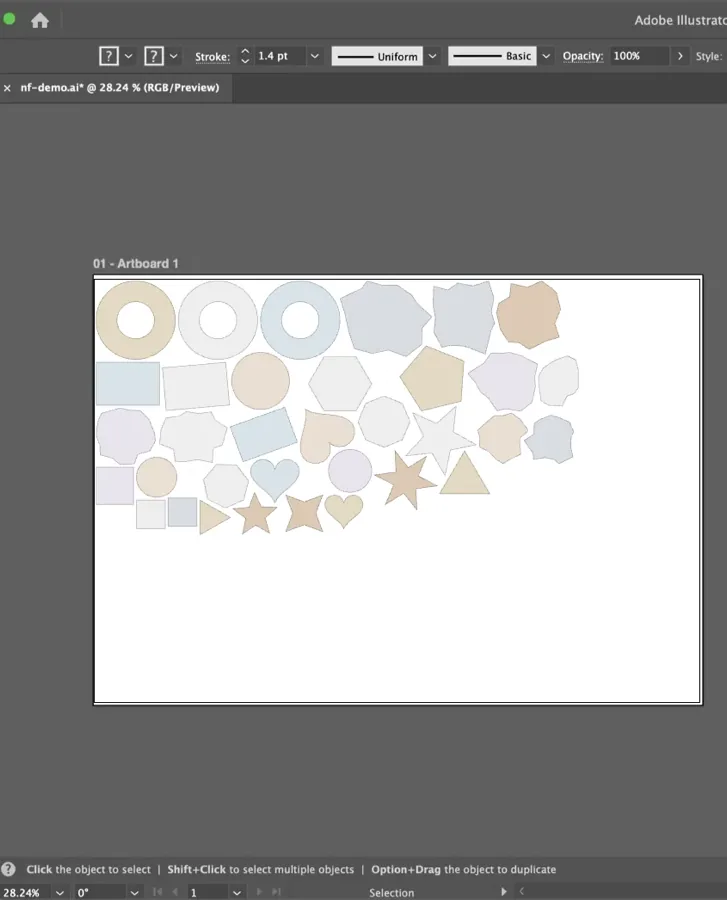
Apply and done
Your original art moves into the nested layout, ready to print and cut. Fully editable. Revert Last Apply restores the original layout.
True-shape nesting, not bounding boxes
Most "auto arrange" tools draw a rectangle around each shape and tile the rectangles. On real die lines that wastes a fifth of your material or more. You pay for vinyl you cut away and weed by hand.
NestPlug's optimizer works on the actual contours: it finds the interlocks between curved outlines, tests rotations, and keeps your configured gap between every cut line. The difference between tiling boxes and tucking contours is material you keep.
- Contour-aware packing with configurable cut-line spacing
- Rotation steps from 5° to 90°, fixed angle and mirror
- Kerf allowance and bounding-box mode included
- Balanced multi-sheet overflow for large jobs

It moves your art. It never replaces it.
Export-based nesting tools hand you a new file and hope you keep track of which version is live. NestPlug works inside your open document: Apply relocates your original artwork into the nested layout, exactly as previewed.
- No duplicated layers, no parallel "nested" file to manage
- Everything stays 100% vector and editable
- Revert Last Apply returns the document to its pre-nest state
- Works with your existing naming, layers and workflow
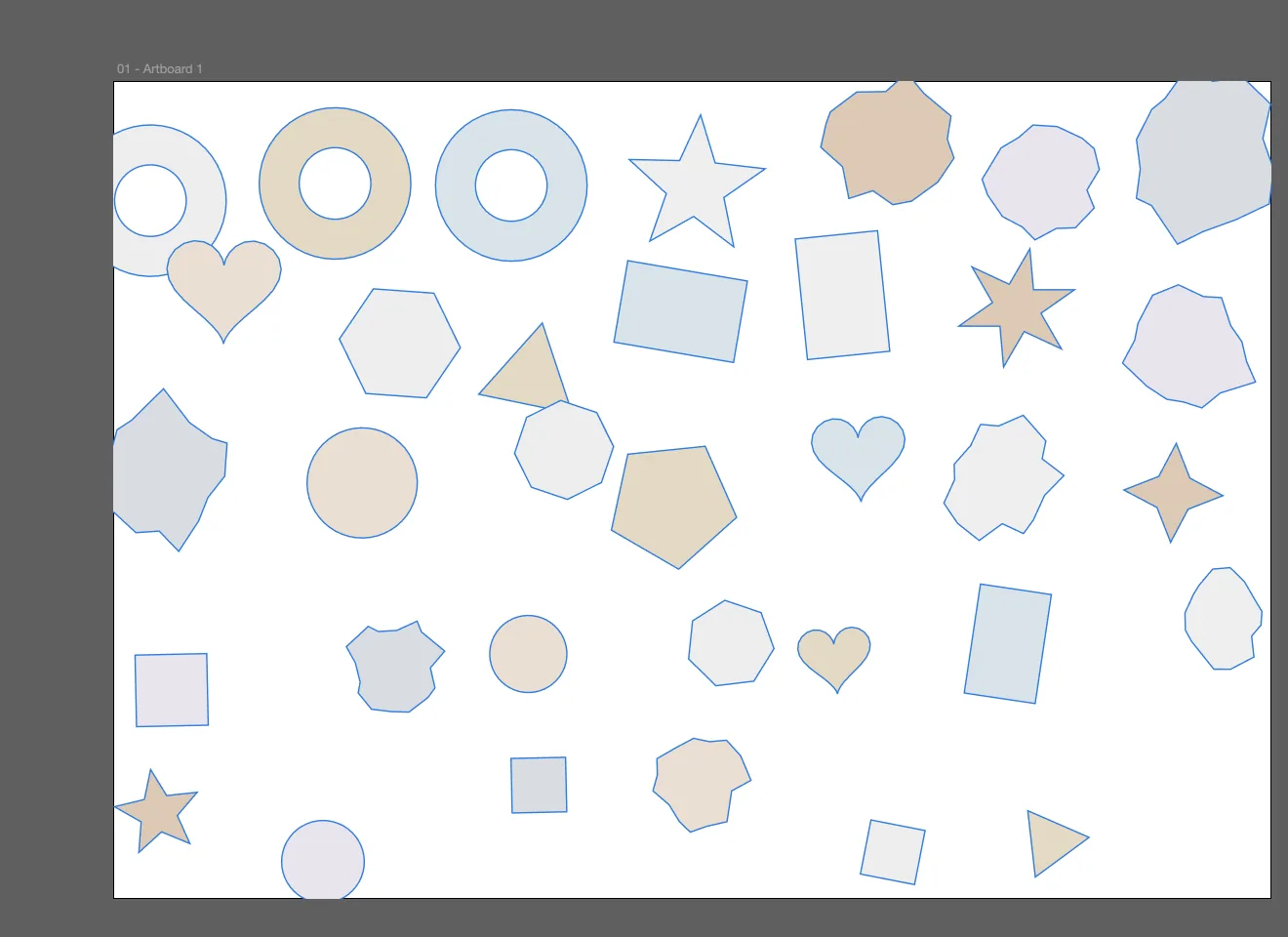
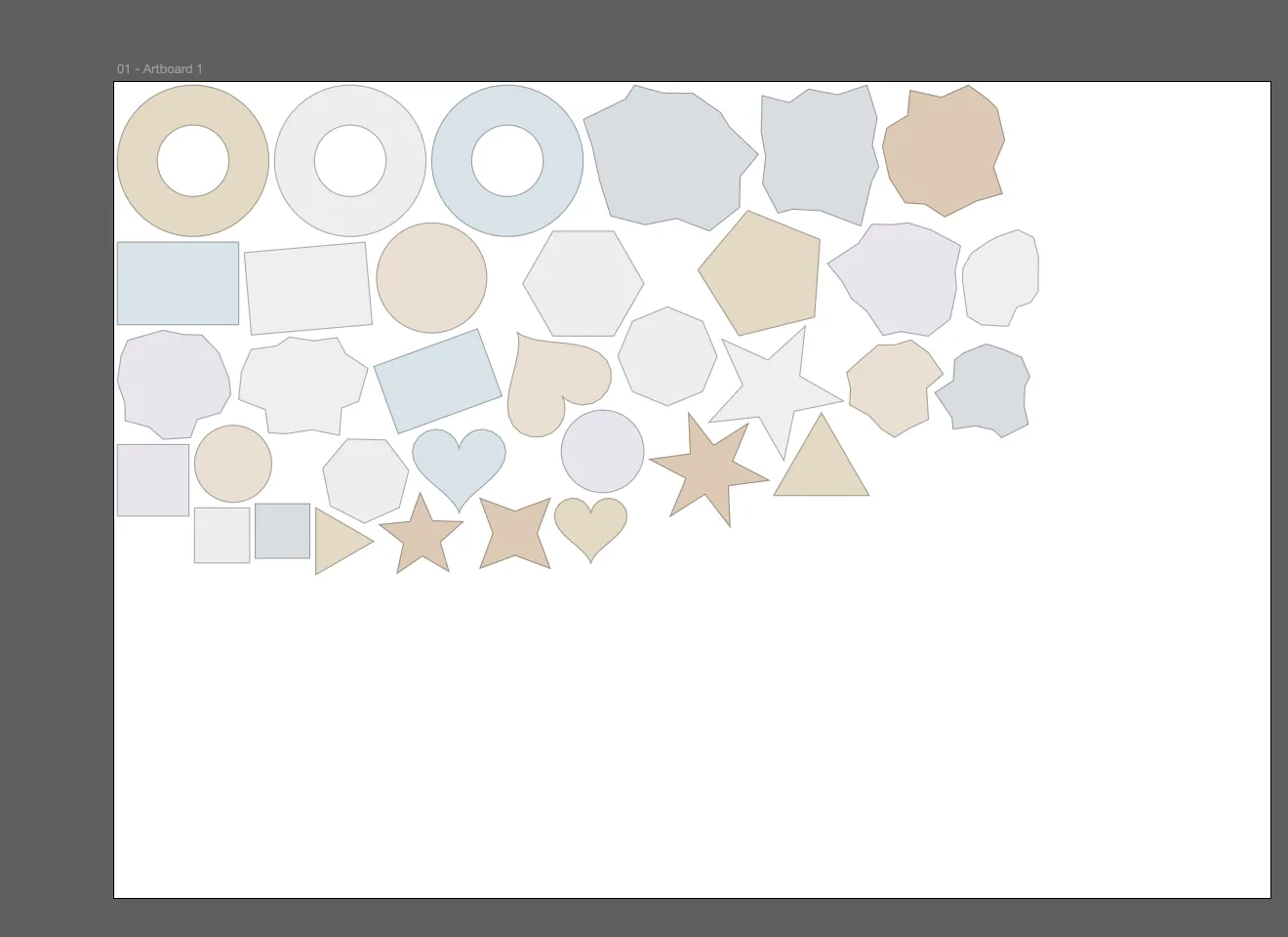
The holes in your art are sheet space
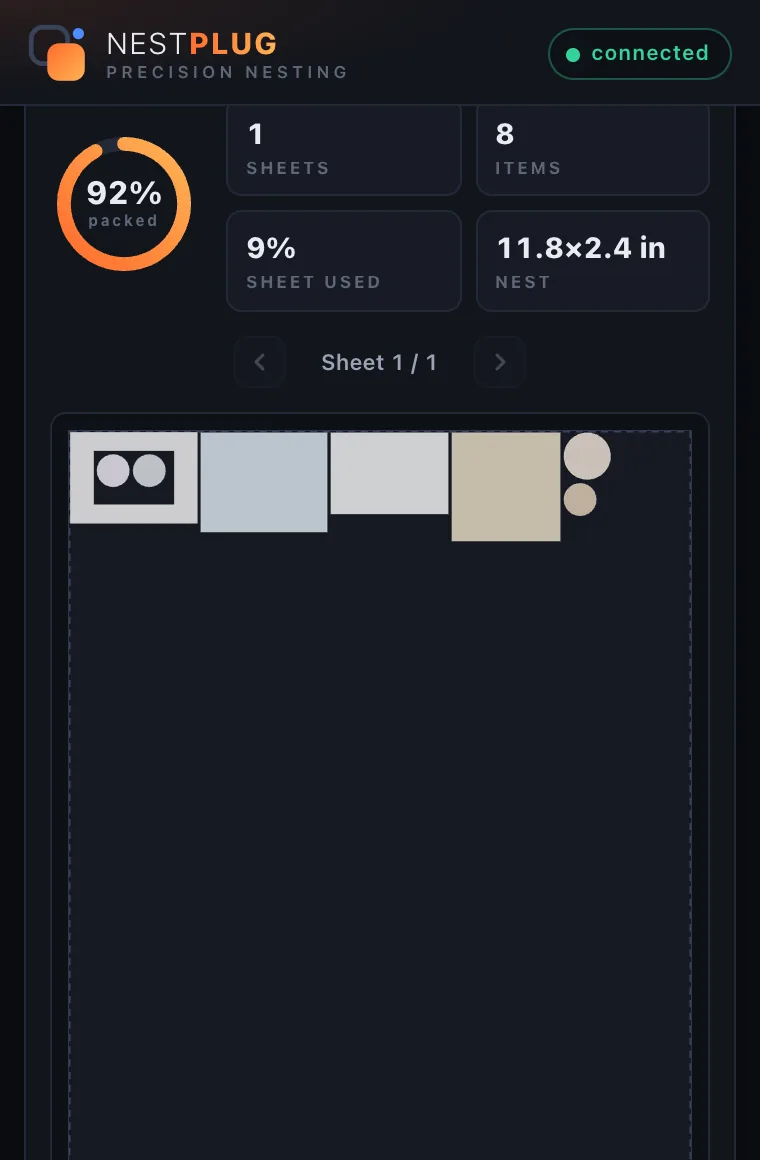
A donut ring, a picture frame, a label with a window: every one of them ships a hole you pay for and throw away. Turn on Nest inside cutouts and NestPlug treats those voids as real estate: smaller shapes slot inside the opening while the outer contour is still cut whole around them.
It is opt-in and it is exact. Inside shapes respect the same minimum distance as everything else, so your cut lines never collide. On our frame demo, nesting two guests inside the window lifted packing density to 92%.
- Works with any compound path that has a true hole
- Same spacing rules enforced inside the void
- Off by default, so your layout never surprises you
When 99% right isn't right enough
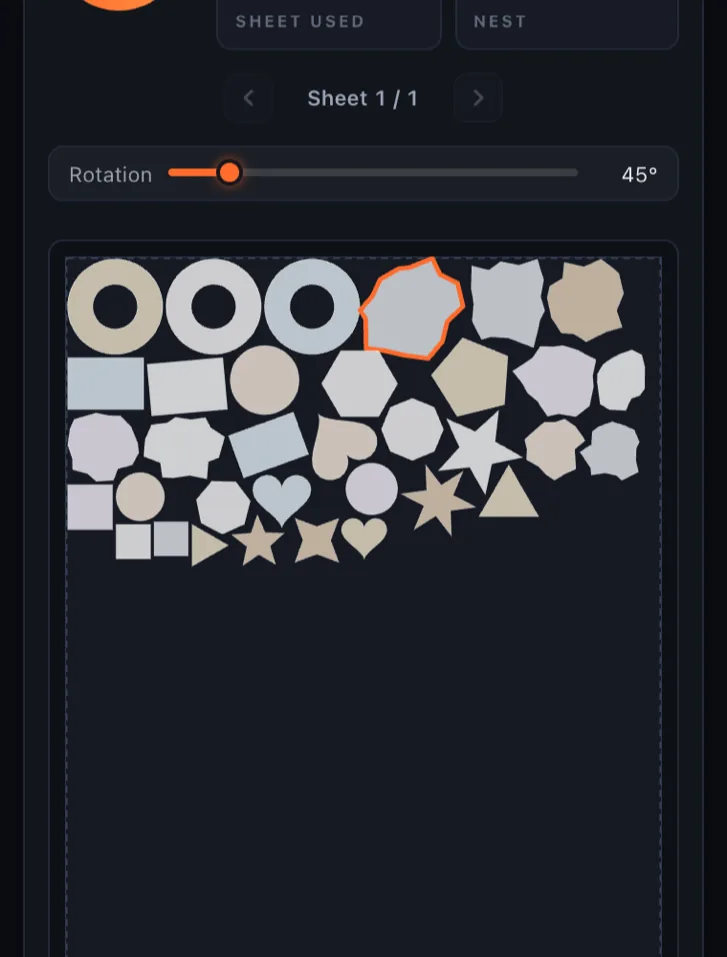
Optimizers are stubborn. When one placement needs to move (a logo that must face a certain way, a shape you want next to its set), switch on Manual adjust and take the wheel: drag any placement in the preview, nudge it with the arrow keys, or dial its exact angle on the rotation slider. An edited chip keeps track of what you touched; Reset puts it back.
Jobs bigger than one sheet flow onto sheet 2, 3, 4… with the sheet navigator stepping through each one, and every run can hand you up to 20 alternative layouts to choose from.
- Drag, arrow-nudge or rotate any placement
- Apply This Sheet or Apply All Sheets
- Compare up to 20 layout options per run
One license. $199. Done.
No subscriptions, no seat-counting invoices, no feature gates. Competing true-shape nesting tools run $300–$1,000 a year.
NestPlug Personal License
- True-shape nesting + nest-inside-cutouts
- Multi-sheet planning, up to 20 options per run
- Manual adjust, rotation steps & kerf controls
- Apply in place: originals move, fully editable
- 1 device at a time, move machines anytime
- Free updates · Windows included at launch
- 7-day money-back guarantee
Secure checkout via Square · Instant license key delivery
One license covers every future platform. When the Windows version ships, your existing key activates it at no extra cost.
Built to run where you work
Native builds, not an Electron wrapper, so the panel feels like part of Illustrator on every OS.
macOS
Available now. Native Apple silicon and Intel support for Adobe Illustrator 2026, signed and notarized.
Windows
In development. Native Windows build in progress, and your license covers it on day one.
Straight answers
Does NestPlug need an internet connection?
It activates online and then re-checks in the background at least every 14 days. In between you can work fully offline: on a plane, in a studio with a firewall, anywhere. If you go longer than 14 days without a connection, nesting pauses with a friendly reminder and resumes automatically the next time you are online. Nothing is lost and you never re-enter your key.
Why is the license limited to one device?
One license covers one user on one machine at a time, the same model professional creative tools use. Moving to a new computer takes seconds: click Deactivate, then activate on the new machine. Your license is yours for good.
Will it duplicate or alter my artwork?
No. NestPlug moves your original artwork into the nested layout. No copies, no rasterizing, no hidden layers. Everything stays fully editable, and Revert Last Apply returns your file exactly as it was.
What artwork can it nest?
Any vector artwork you can select on the artboard: sticker die lines, cut contours, groups, compound paths. NestPlug packs the real curved outlines of your shapes, not clumsy rectangular bounding boxes, so you get materially tighter sheets.
Is it a subscription?
No. $199 once, yours forever, including updates. Competing true-shape nesting tools charge subscriptions up to $1,000 per year. Backed by a 7-day money-back guarantee.
Which platforms are supported?
macOS (Illustrator 2026) ships today. A native Windows version is in active development, and your license will cover both platforms.
What does "Nest inside cutouts" do?
It lets the optimizer place smaller shapes inside the holes of bigger ones (stickers inside a donut ring, artwork inside a frame window) while the outer contour is still cut whole around them. Minimum spacing is enforced inside the void too, so cut lines never collide. It is off by default; switch it on when you want the extra real estate.
Can I fix a placement the optimizer got wrong?
Yes. Switch on Manual adjust and drag any placement in the preview, nudge it with the arrow keys, or set its exact angle on the rotation slider. Touched placements get an "edited" chip and can be reset with one click. You can also ask for up to 20 layout options per run and simply pick one you like without editing anything.
Does it work for print-then-cut workflows?
Yes. Set your sheet size and the minimum spacing your cutter or plotter needs between cut lines, and NestPlug packs to those exact constraints, ready to print and cut.
Your next sheet could be your tightest one.
Join the cut shops trading wasted vinyl for one-time $199 nesting. 7-day money-back guarantee, no questions.
Get NestPlug for $199