Die-Cut Sticker Sheet Nesting
Pack die-cut sticker sheets tighter in Illustrator: true-shape nesting of mixed die lines, weeding gaps, print-and-cut friendly.
The problem: half-empty sticker sheets
Hand-arranging a sticker sheet is where the hour goes. Circles leave corners, stars leave concave pockets, and bounding-box arrange tools waste a third of the sheet on points and tabs alone. When every sheet is also a weeding session, wasted space is wasted evening.
What NestPlug does instead
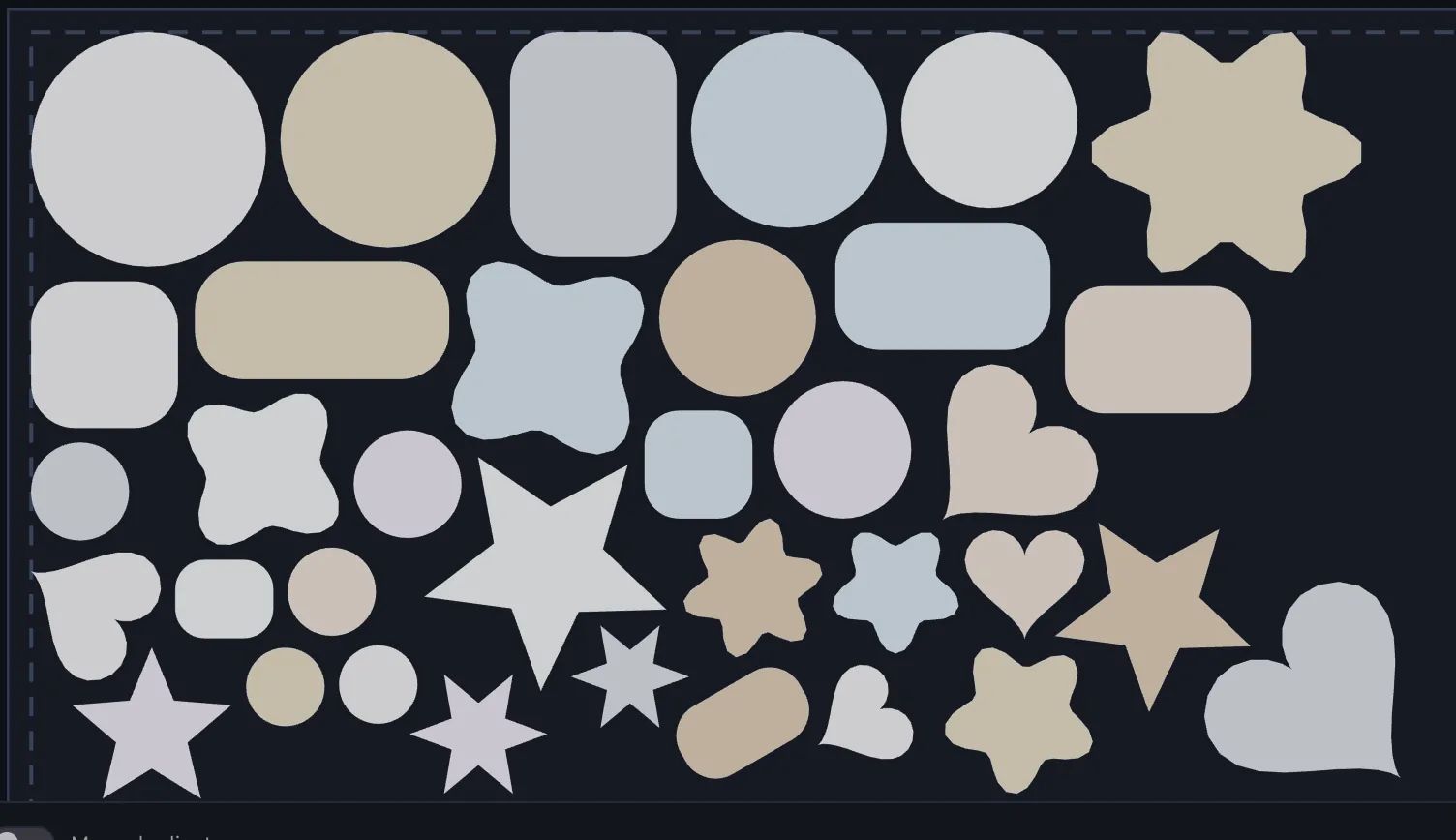
Select the die lines on your artboard, set the sheet to 12×18in (or any size you actually stock), set a 2 mm minimum distance for weeding, and calculate. The engine packs the real contours: star points tuck into the hollows of other stars, rounded rectangles slide against circle curves. A 15° rotation step lets parts turn into gaps without going crooked.
Print then cut, nothing duplicated
Print-and-cut shops keep print art and die lines grouped. Apply moves your original artwork into the nest, print layer and die line together, so the registration you already set up survives the layout. No exported copy file, no re-linking, no second version of the design to keep in sync.
Small runs, many SKUs
One checkbox nests each fill color as its own group on its own sheets, for cutting one color at a time or one pass per head. When an order outgrows a sheet, multi-sheet planning flows the rest onto sheet 2 and 3 with the fill balanced.
How this run was set up
- Sheet: 305×457mm (12×18in), 5mm edge padding
- Minimum distance: 2mm, rotation step 15°, contour packing
- Result: 35 of 35 placed, 54% packed, cluster 11.2×6.4in
Questions
Does it keep my layers, groups and cut order?
Apply moves the original objects, so layers, groups, names and appearance come with them. Revert Last Apply returns the document to exactly how it was.
Can it mix circles and complex shapes on one sheet?
Yes, that is where true-shape packing earns its keep: the concave regions of one part become real estate for another. Bounding-box tools cannot do this.
Does it work with Cricut or Silhouette workflows?
NestPlug nests whatever vector outlines you select in Illustrator. The nested result is plain vector art in your document, so you export to your cutter’s workflow exactly as you do today.
Related: vinyl decals · laser & CNC · all use cases · missing something? Request a feature.